Phone Charging Slowly? 10 Ways to Fix Slow Charging

Is Your Phone Charging Slowly? 10 Simple Ways to Speed Up Your Device! That familiar notification: “Battery Low.” You plug in your phone, expecting it to juice up quickly, only to check back 30 minutes later and see it’s barely moved past 15%. Sound familiar? Slow charging is a frustrating problem that can throw a wrench in your day, leaving you tethered to an outlet longer than necessary. While modern smartphones boast incredible technology, they’re not immune to the occasional charging hiccup. But don’t despair! Often, the fix is simpler than you think. Before you consider an expensive repair or[…]

Read more


How to Fix Google Chrome Running Slow or Not Responding

The Chrome Crawl: How to Fix Google Chrome Running Slow or Not Responding There’s nothing quite as frustrating as needing to get something done online, only to have your web browser grind to a halt. If you’re a Google Chrome user, you’ve likely experienced the dreaded “Chrome crawl” – tabs taking ages to load, the browser freezing, or even an unresponsive “Aw, Snap!” error. It’s a common problem, but thankfully, most slowdowns are fixable. This detailed guide will walk you through a comprehensive set of solutions, from quick fixes to deeper dives, to get your Chrome browser running smoothly again.[…]

Read more

Laptop Running Slow? 15 Ways to Make Windows 11 Faster

Laptop Running Slow? 15 Ways to Make Windows 11 Faster There’s nothing quite as frustrating as a once-snappy laptop slowing to a crawl. Applications take ages to open, multitasking becomes a nightmare, and even simple browsing feels like wading through treacle. If your Windows 11 machine is acting more like a sloth than a cheetah, don’t despair! Often, the culprit isn’t necessarily old hardware, but rather a build-up of software inefficiencies and forgotten settings. Before you consider a costly upgrade, try these 15 effective ways to breathe new life into your Windows 11 laptop and reclaim its speed. — Understanding[…]

Read more

WiFi Connected But No Internet Access in Windows 11

WiFi Connected But No Internet Access in Windows 11: Your Ultimate Troubleshooting Guide It’s one of the most frustrating tech dilemmas: your Windows 11 PC proudly displays the Wi-Fi icon, assures you it’s “Connected,” but when you try to browse the web, check email, or open any online application, you’re met with a blank page or an error message. “No internet access.” You’re stuck in digital limbo. Don’t smash your keyboard just yet! This common problem has many potential causes, and thankfully, a variety of effective solutions. This detailed guide will walk you through a series of troubleshooting steps, from[…]

Read more

How to Send Free Message via Mi Message Xiaomi

Hello, MIUIers . hope you  doing well  in your life and enjoy Xiaomi services in your daily life. Today we talk about Xiaomi Mi message service which is very important for all of us. Why ? because why we pay to network operator if our friend also has Mi Mobile. In short through the Mi Message service, you can send free messages to other Mi user without any charges. Mi message sends messages in real time like whatsApp. Whereas comfortability issue there is no need to worry, Mi message support by all Xiaomi mobiles. No matter you have old Xiaomi[…]

Read more

How to Update MIUI 8 Marshmallow in Redmi 2 / Prime

Redmi 2, A budget phone released by Xiaomi. You already know about its features like1 GB RAM, 8 GB Storage, snapdragon 8 Megapixel camera etc etc. Redmi 2 Prime have double capacity in RAM & Storage section. No Matter what they have. We are here for MIUI 8 Update Process in Redmi 2 / Prime phones. One thing which is good in Xiaomi that he don’t forget his old devices. MIUI developers work for its all devices no matter they are too old. For example, Redmi 1S still receive MIUI updates that’s why Xiaomi fans love Mi so much. Ok[…]

Read more

How to Downgrade MIUI 8 to MIUI 7

Nowadays MIUI 8 craze going on. Everyone talking about MIUI 8, Users more interested in MIUI 8 Design, Services. Many changes are done by MIUI team in MIUI 8. Currently China developer ROM available of MIUI8. Soon Global developer ROM released by Hugo on June 30 at Delhi in Mi Max Launch Event. Many users who don’t know much about flashing and rooting, Update their phones to MIUI 8. Now they are facing various issues like Playstore, Google services problem in MIUI 8.  Also, they face some minor bugs in MIUI. This is common because its developer preview, So finally they frustrated and[…]

Read more

How to Track Lost Redmi 2 / Prime Xiaomi Phones

A mobile plays various roles in our life. We can’t imagine our life without a phone. Day by day our daily life depend on our smartphone. So in this sequence, we also store our personal and official data on our phone. This may be your notes, excel files, your pictures, Contacts, Call logs and much more. A terrifying situation occurred when you lost your Xiaomi Redmi phone. You are in big trouble. Yes, we understand your crisis, But you should not be panic. Because Xiaomi MIUI OS gives you to various control options when you lost your phone, Like to Track your[…]

Read more

How to Block Outgoing Calls in Android Mobile

Mobile phone oh sorry !!! Your favorite smartphone, You love your phone till it does not create any disturbances in your personal life. Yes its very painful when your relations breaks because of a phone. Ok, leave it come on the topic, Today we share with you How to Block Outgoing calls in smartphone. No matter which phone you are using, All phones support outgoing block call feature. This outgoing call blocker function works with all smartphones brands. Like Xiaomi, Samsung, Lenovo, Huawei, Intex, Micromax etc etc. All Brands phone support call blocking. Necessary things to do Before Starting outgoing call block : No[…]

Read more

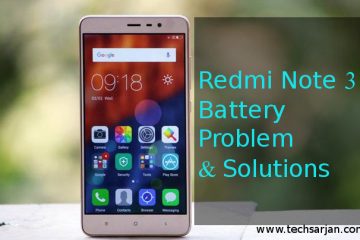
Redmi Note 3 : Battery Drain Not Charge Heating Issue Solution

Redmi note 3, Awesome product from Xiaomi. As we all know Xiaomi known for their amazing devices with the illustrious budget.  Redmi Note 3 full fill all wishes of Mi fans. No matter if you want fingerprint sensor, IR Blaster for your TV & AC, flamboyant camera etc etc.  All come in one pack Means Redmi Note 3. Redmi Note 3 comes with two variants. First, one comes with 2 GB RAM & 16 GB internal and the other one come with 3 GB RAM & 32 GB internal. Redmi Note 3 have Snapdragon 650 processor with 4050mAh powerful battery. You can experience metal body with amazing light[…]

Read more
Exit mobile version